How do I create a Bluesky account?
Short answer
Open bsky.app and choose Sign up; no invite is needed. Sign up with your email address and pick a handle (your name on Bluesky, such as name.bsky.social); later you can use your own domain as the handle. Bluesky also asks to confirm a phone number. BoostPoster's Sign-ups page can fill the form for you and checks whether the handle is free.
Connect BlueskyWhat do I need before I start?
| You need | Why |
|---|---|
| An email address | Bluesky signs you up with it |
| A phone number | Bluesky asks new accounts to confirm one |
| A handle in mind | Your name on Bluesky, such as name.bsky.social |
How do I sign up, step by step?
- Check the handle. In BoostPoster open Sign-ups, choose Bluesky and type the handle you want; the page says whether it is free.
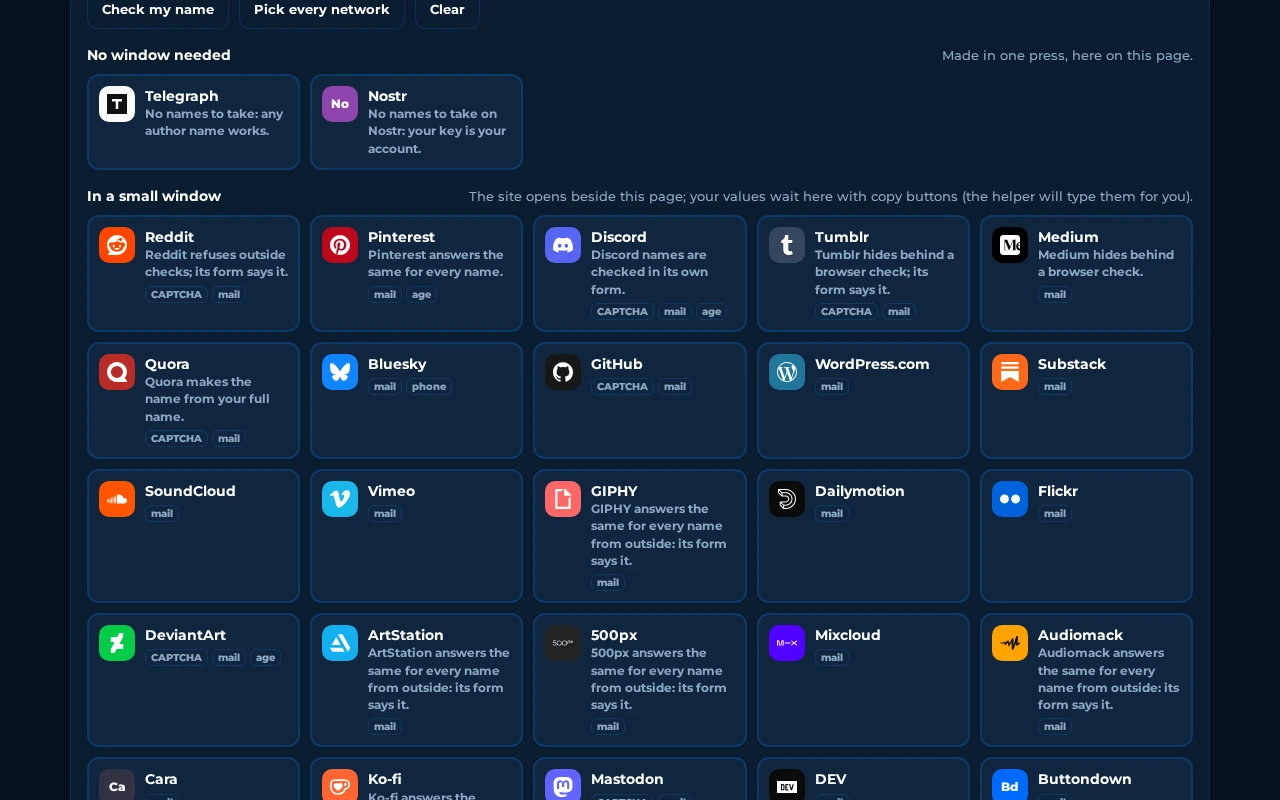
Sign-ups, the Bluesky handle check - Sign up at bsky.app. Choose Sign up and fill in the form Bluesky shows, with the email address and handle from Sign-ups. With the BoostPoster helper installed, Sign-ups fills the form for you; without it, it shows each value with a copy button.
Screenshot: Bluesky's sign-up form
ext-bluesky-sign-upBluesky's sign-up form - Connect it. Make an app password in Bluesky (Settings, Privacy and security, App passwords) and add it in BoostPoster’s Connections, Bluesky. Now you can plan posts.
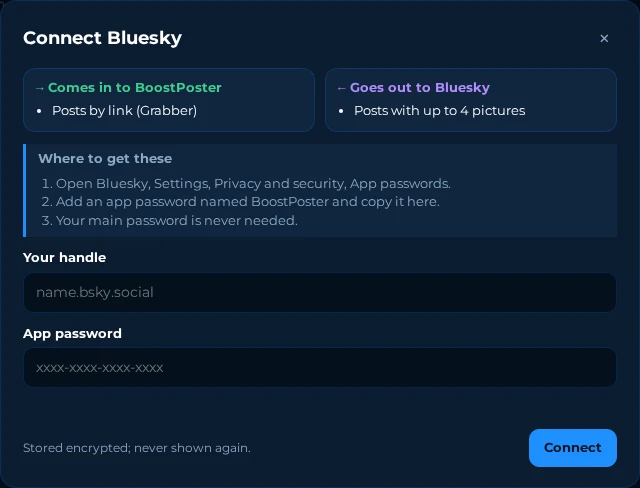
Connections, the Bluesky window
Checked 23 Nov 2026.
Questions
Do I need an invite to join Bluesky?
No. Bluesky sign-up is open to everyone at bsky.app.
Can I use my own domain as my Bluesky handle?
Yes. Bluesky lets you use a domain you own as your username instead of name.bsky.social.
Does Bluesky ask for a phone number?
Yes, at the moment Bluesky asks new accounts to confirm a phone number. BoostPoster's Sign-ups asks Bluesky about this every hour and says so; typing the phone and its code is your step.
What makes a handle valid?
In BoostPoster's Sign-ups, a bsky.social handle takes up to 18 characters of letters, digits and hyphens, and the page checks whether it is free before you sign up.