How do I make a GIF from a photo or several photos?
Short answer
In BoostPoster's Maker add one photo and pick a motion, or add 2 to 10 photos for a slideshow, then tick a GIF place (Square GIF or LinkedIn GIF) and press Go. Every GIF comes with a light twin, 480 pixels wide, for chats and slow connections. GIFs from a video clip are not available yet.
Which GIF places are there?
| Place | Size | Frames a second |
|---|---|---|
| Square GIF | 1080x1080 | 15 |
| LinkedIn GIF | 1080x1350 | 15 |
| Light twin of every GIF | 480 wide | 10 |
How do I make the GIF, step by step?
- Add the photos. In Maker press “+ Add material”, then Photos: one photo for a moving card, or 2 to 10 for a slideshow, picked in the order they should play.
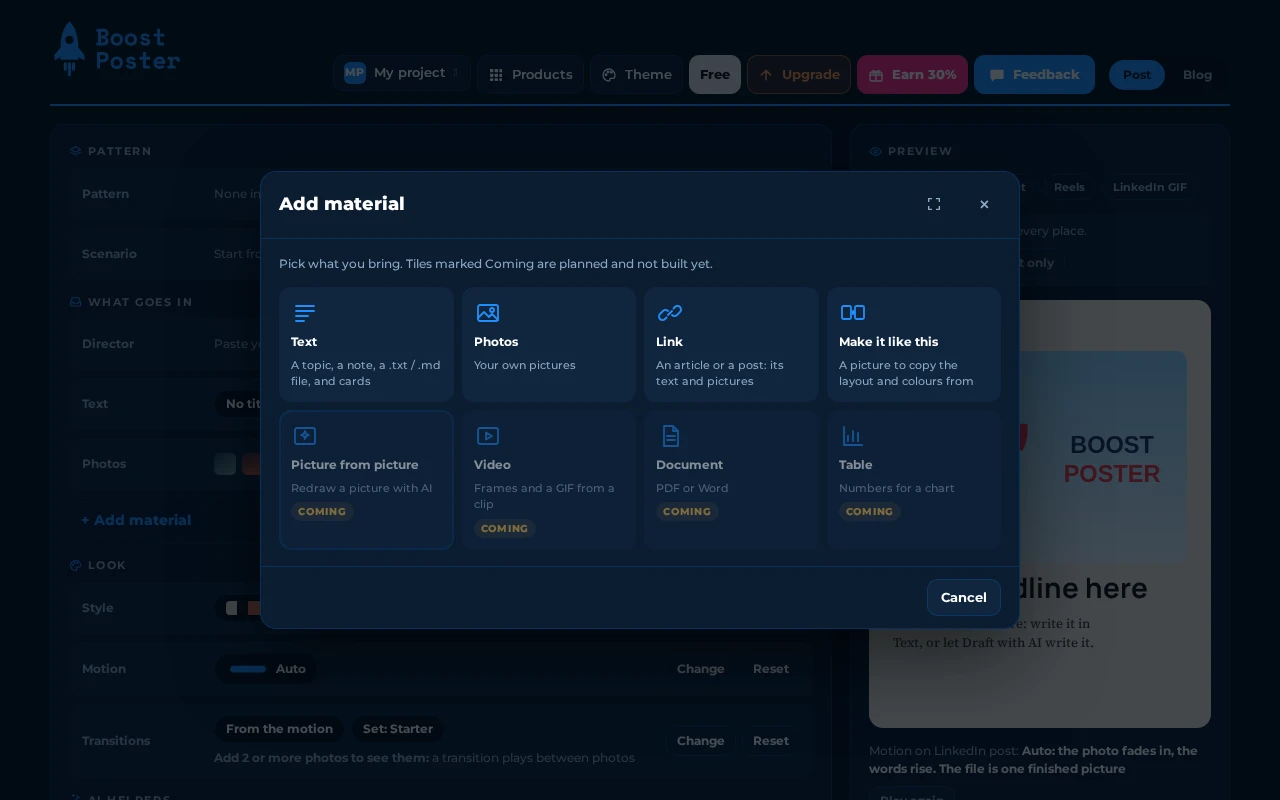
Maker, adding a photo - Pick a motion or transitions. One photo takes a motion; a slideshow takes transitions between the photos and seconds per photo.
- Tick a GIF place. Square GIF or LinkedIn GIF.
Screenshot: Maker, the GIF places ticked
app-maker-gif-placesMaker, the GIF places ticked - Press Go. The GIF and its light twin appear on the right, ready to download, save to the library or publish.
Animation: A finished GIF playing
app-maker-gif-resultA finished GIF playing
Checked 23 Nov 2026.
Questions
Can I make a GIF from a video?
Not yet. Maker makes GIFs from photos today; GIFs from video clips come later.
How big is the GIF?
Square GIF is 1080x1080 and LinkedIn GIF 1080x1350, at 15 frames a second. The light twin is 480 pixels wide at 10 frames a second with 128 colours.
Why does my slideshow GIF not zoom like the video?
In a GIF the photos hold still between transitions; the slow zoom is for videos only.